Regular Players
Save player names and emails once, then add them to any future game or expense table.
 PokerSettleUp
Track buy-ins, rebuys, cash-outs, shared expenses, personal payment notes, and final settlement math for friendly in-person games.
The app checks for updates through the App Store and Google Play.
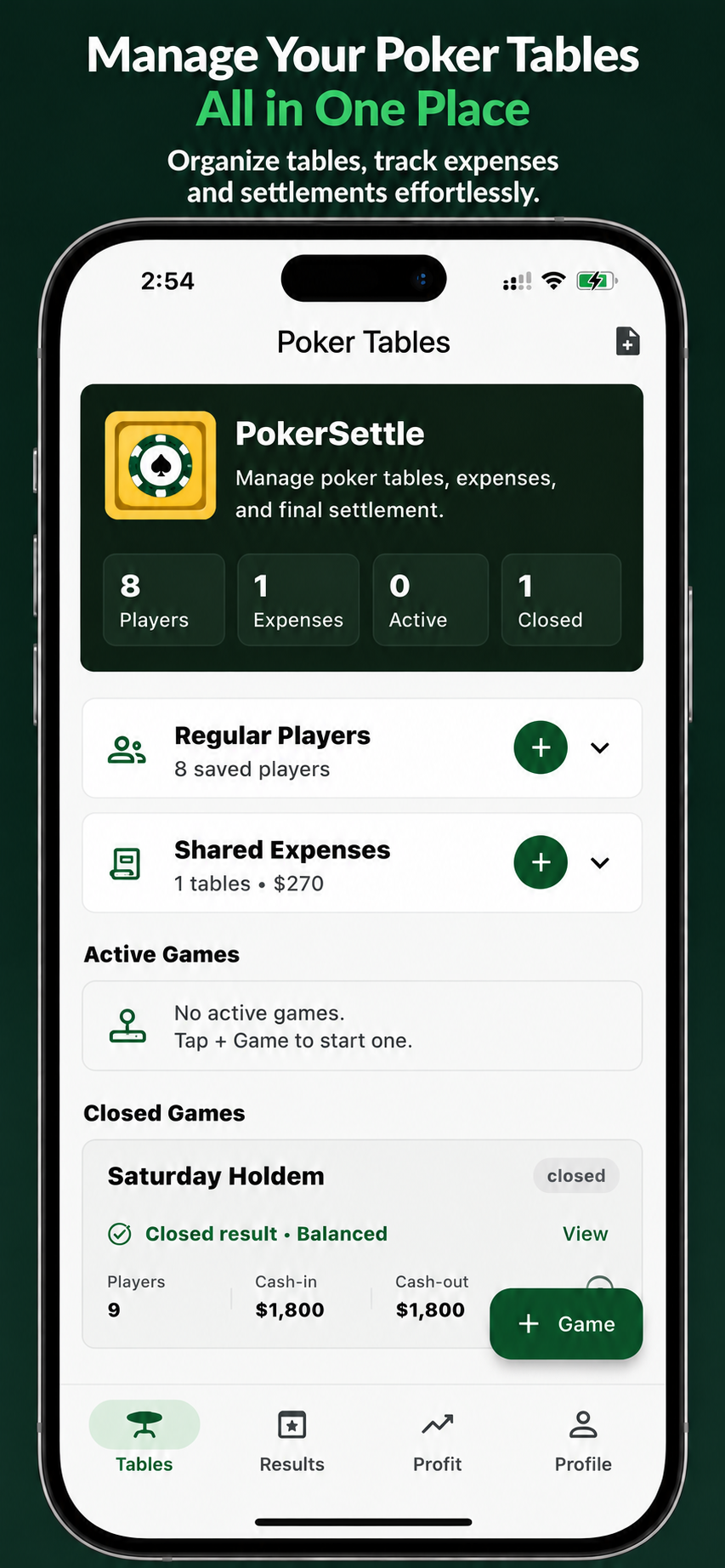
Keep the host focused on the game. PokerSettleUp keeps the money trail clear from the first buy-in to the final payment.
Save player names and emails once, then add them to any future game or expense table.
Track buy-in, rebuy, cash-out, poker net, and table totals for every player.
Create expense tables, select people, record who paid, split costs fairly, and reuse a table across multiple games.
Keep private notes in Profile for people you need to pay or receive from after settlement.
Follow this flow for a regular in-person poker night.
Open Regular Players and add everyone who usually plays. Use their name and email so they can be reused across games and expenses.
Create a new game table for the night. Add players from Regular Players or add someone manually.
For each player, enter buy-in, rebuy, and cash-out amounts. Use bulk edit when you need to update many players quickly.
Use Settle & Share to close and share the poker result, or move poker balances into an expense table when you want to combine poker and shared expenses.
Choose the payer, amount, note, and included people for each expense. You can edit or delete expense rows before settlement.
Final settlement combines poker net and expense balance, while profit/loss stays focused on poker money in and out.
Share the settlement output through any supported app, then use personal payment notes in Profile to track follow-up outside the table.
Expense tables are separate from game tables so food, drinks, and other costs stay easy to understand.
Start an expense table from the main screen. Select people from Regular Players, then add more people later if needed.
Choose who paid, enter the amount, add a title, and select who should split the cost.
From each game table, move poker balances to a shared expense table. Multiple games can roll into the same expense table and recalculate settlement.
Admins can lock an expense table when entries are final, or clear expense rows to reuse the same table for another game.
The final shared image is designed to be readable in group chats.
Alex: +$150.00
Jack: -$150.00
Jack owes $150.00 to Alex
PokerSettleUp is a utility for private notes and settlement math. It does not host games, process payments, enable wagering, or offer prizes.
The app does not provide poker gameplay, casino play, betting pools, or online wagering.
Settlement output shows who owes whom. Any actual payment happens outside the app.
Use it to keep buy-ins, cash-outs, shared expenses, and personal follow-up notes organized.
PokerSettleUp is designed for a single host managing the game from one device.
Game tables, expense tables, and final results are stored on the device.
Set up a local host profile with name and email. No online account is created.
Share settlement output through SMS, WhatsApp, email, or any supported app.